


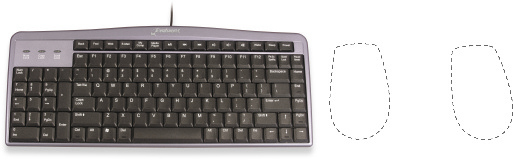
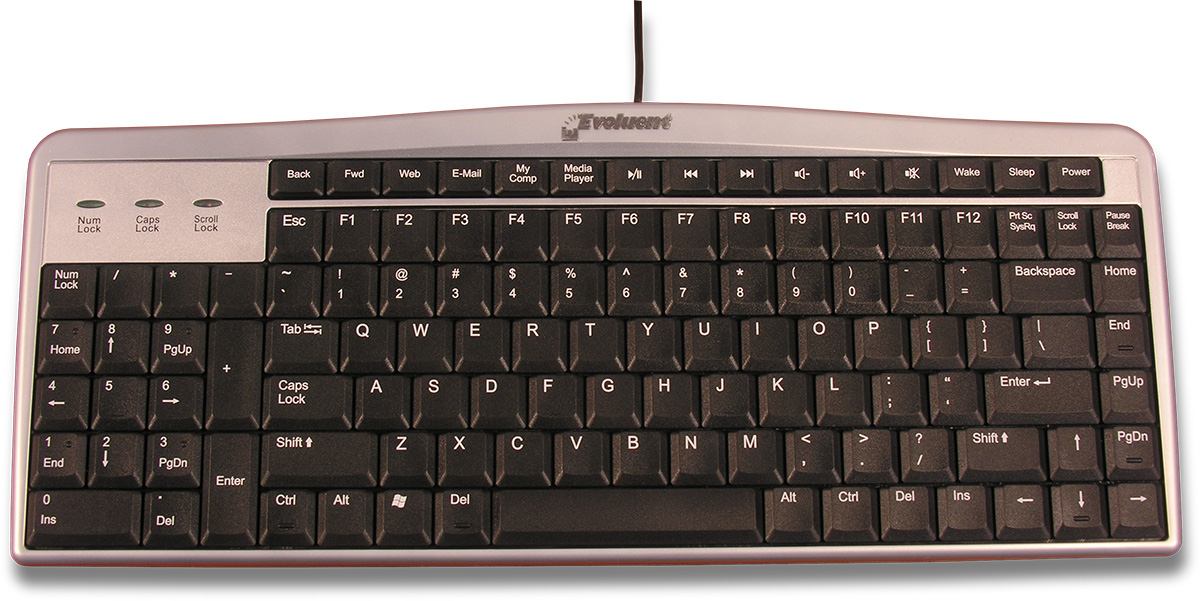
The general layout of the standard keyboard was designed before the introduction of the mouse. Since number entry was one of the primary functions of the keyboard at that time, having the numeric keypad on the right side made sense. Nowadays, most users use the mouse far more than the numeric keypad, so the keypad now occupies the space where the mouse should be. The Evoluent Mouse-Friendly Keyboard has a more sensible layout with the numeric keypad on the left so your mouse may be much closer on the right.(Patents pending.)
Ordinary keyboard
Evoluent Mouse-Friendly Keyboard
An ordinary keyboard has a numeric keypad where the mouse should be. Your mouse is too far away.
An ordinary keyboard forces your arm to stretch outward to reach the mouse.
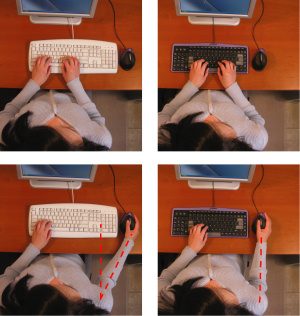
The Evoluent Mouse-Friendly Keyboard has a numeric keypad on the left. Your mouse may be much closer on the right.
The Evoluent Mouse-Friendly Keyboard allows your mouse to be directly in front of your shoulder. Your arm is in a relaxed neutral position when using the mouse.
Features and Benefits
▪ Eliminates stretching your arm to reach the mouse by having the numeric keypad on the left.
▪ Your mouse may be much closer on the right.
▪ Allows your right arm to be in a relaxed neutral position when using the mouse.
▪ Reduces the need to remove your hand from the mouse by allowing your left hand to operate Enter, Del, Page Up, Page Down, arrows, and other keys in the numeric keypad on the left.
▪ Duplicate Page Up, Page Down, Home, End, Del, and arrow keys on the right.
▪ Full size arrows, Del, F’s, Ctrl, and Alt keys for easy operation.
▪ Extra Del key at the left end of the spacebar allows left hand operation so you can keep your right hand on the mouse.
▪ Tactile bumps on often used keys such as Del, End, Page Down, Ctrl, and down arrow to aid operation by touch.
▪ Hot keys for one touch access to the Internet, e-mail, media player, volume control, standby, power off, and other functions.
▪ High quality, notebook computer-type key mechanisms with precision feel.
▪ Only 1/2 inch or 12.5 mm thick overall with ultra flat key caps.
Specifications
▪ USB port required. Does not work in PS2 port.
▪ Full functionality in Windows XP, 7, 8 and 10 (32 bit and 64 bit) without a driver. Some hotkeys on top row may not work in other Windows versions.
▪ Works with Mac, Unix, and Linux except the hotkeys on the top row.
With a Mac, the Windows key is the Mac key, and the eject key is pressing and holding F12. Num Lock is locked on.
▪ 15.4″ / 393 mm wide, 6.25″ / 159 mm deep, 0.5″ / 12 mm thick.